

This is week five of Your Summer Email Tune Up. So far we’ve covered domain authentication, domain warming, low open rates, and deliverability and inbox placement. This week is a little different from the rest. It’s not about adding anything. It’s about tightening what you already have.
Most advice about email lists focuses on growth. More subscribers, more reach, more people to sell to eventually. This post is the opposite of that. A smaller list that’s genuinely engaged will outperform a larger one that isn’t. In open rates, in click rates, and in your sender reputation. Which affects every single email you send going forward. Before your list gets busy for Q4, this is the moment to tighten it, not grow it.
Why list quality matters more than list size
We touched on this last week, but it’s worth repeating on its own. Every time you send to someone who never opens or clicks, that non-engagement is a signal to Gmail, Outlook, and Yahoo that your content isn’t wanted. That signal doesn’t stay contained to the uninterested subscriber.
It affects your reputation across your entire list, including the people who genuinely want to hear from you. A list full of quiet, disengaged contacts is quietly working against your best subscribers too.
How to actually find your disengaged subscribers in Flodesk
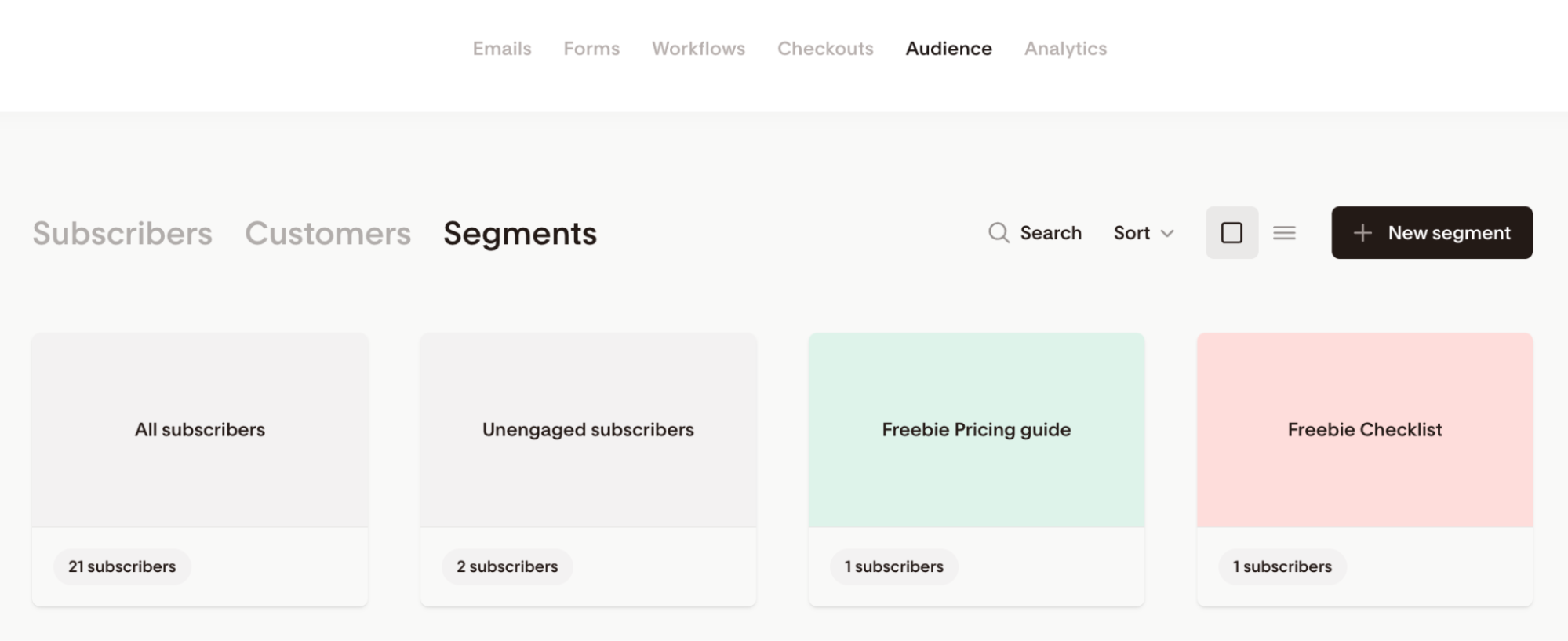
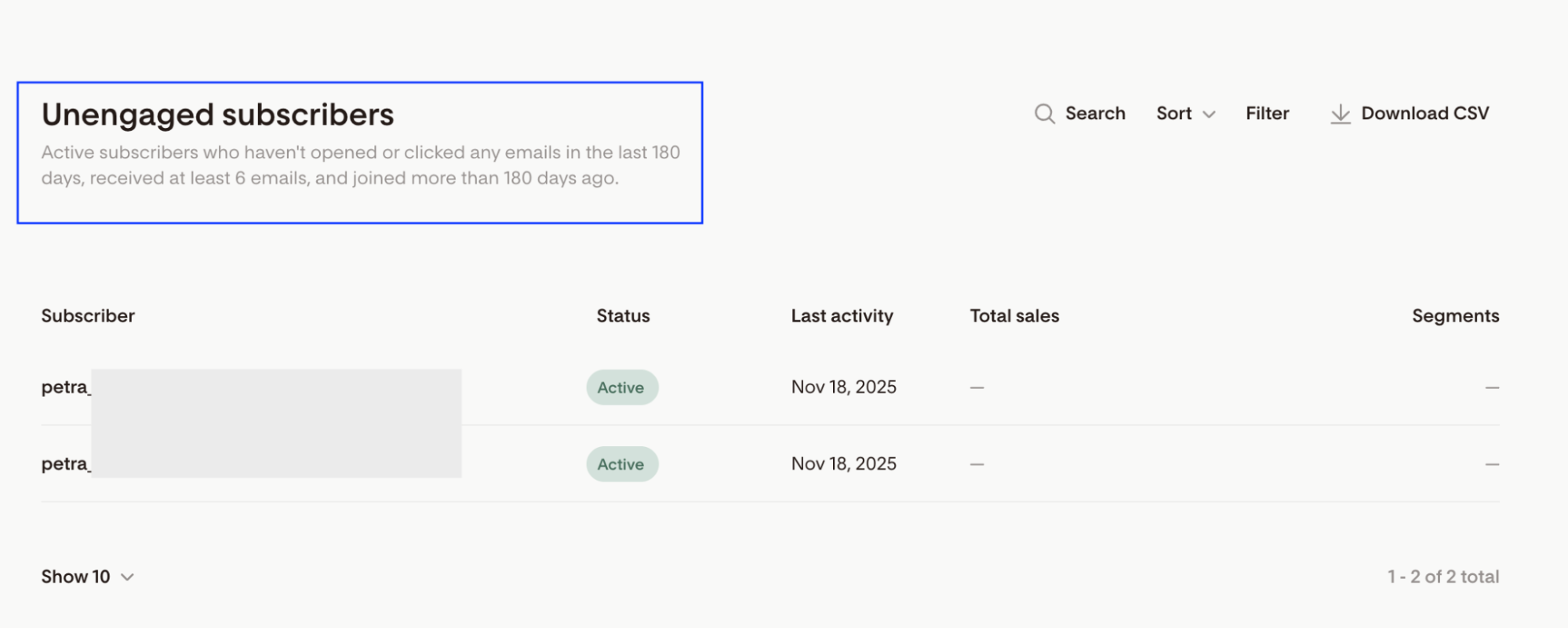
Flodesk now does a good part of this for you automatically. Every account has a pre-built Unengaged Subscribers segment, found under your Segments tab, that Flodesk generates and updates on its own. A subscriber lands in it when all of the following are true:
- their status is active,
- they haven’t opened or clicked anything from you in the last 180 days,
- they’ve received at least six emails from you in that time, and
- they joined your list more than 180 days ago.
In other words, these are people who’ve had real, repeated chances to engage and consistently haven’t. This segment is dynamic, so it always reflects your current data, and it’s worth reviewing about once a month.
If you want more control over the exact window, for example if you send weekly and want a shorter, more sensitive cutoff, you can also build a custom filter from your Audience tab. Go to Audience, then Subscribers, click Filter, and set your own criteria.
A common approach is filtering for active subscribers who’ve received a meaningful number of emails, five or more, and shown no opens or clicks within a range you choose, 60 to 90 days for frequent senders, 6 months or more for less frequent ones. Don’t stack every possible criterion at once. Pick the definition that fits your sending frequency and stay with it.
Re-engage carefully, or skip straight to archiving
Not every disengaged subscriber deserves the same response, and it’s worth being more careful here than older email marketing advice tends to suggest.
For subscribers who are just starting to drift, a lower open rate over the last 60 to 90 days rather than complete silence, a cautious re-engagement attempt can still make sense. Treat it as a controlled test, not a single blast.
Break that group into small batches rather than sending to everyone at once. Send to one batch, then check your open rate, click rate, and spam complaints closely before sending to the next. If a batch shows any concerning signs, rising spam complaints, a noticeably lower open rate than your normal sends, stop and reassess before continuing to the rest. Keep the sequence itself short. Two or three emails over a couple of weeks is plenty, and give a clear, easy way to opt out in every one.
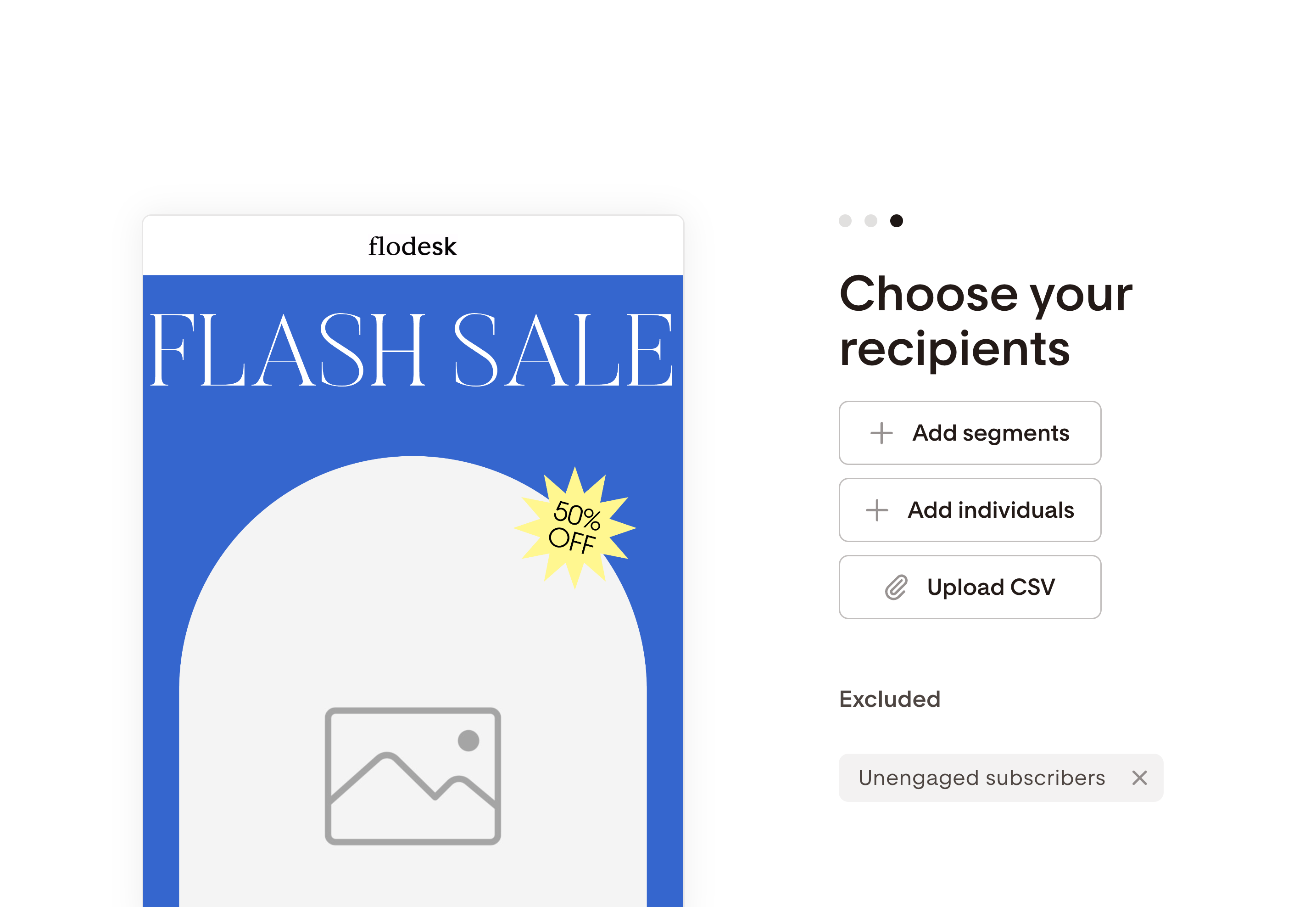
For subscribers who’ve gone further, specifically anyone who’s landed in the pre-built Unengaged Subscribers segment, skip re-engagement entirely. This segment is excluded from your sends by default, and for good reason. You can remove that exclusion with a single click if you really want to include them on a send. But doing so means knowingly taking on real deliverability risk, not a technicality you’re bypassing.
Emailing a large group of already disengaged subscribers all at once, even with a strong email, reads to Gmail and Outlook as sending to people who don’t want your content, and it can drag down your reputation for your entire list, not just that group. For subscribers at this stage, archiving directly is the safer and more effective move.
What to do with subscribers who don’t respond
In Flodesk, you have two real options here, and they’re different from each other.
(1) Archiving keeps the subscriber’s full history and data intact, segments, form activity, past purchases, but stops sending them anything. It’s fully reversible. So if you’re not ready to commit to removing someone permanently, this is the lower-risk option.
(2) Deleting removes them from your account entirely and can’t be undone. Most of the time, archiving is the better first move. You can always revisit and delete later once you’re confident.
A quick segment health check while you’re in there
While you’re reviewing engagement, it’s worth glancing at your segments as a whole, not just individual subscribers. Go to the Performance by segment table on your Subscribers analytics page and compare engagement across your existing segments.
If one segment is consistently underperforming the rest, that’s worth understanding on its own. It might mean the content going to that group isn’t matching what they signed up for, which is a content fix, not a list cleanup fix.
Why this matters more heading into Q4
A cleaner, more engaged list going into November means your Black Friday emails are landing with people who actually want to see them. And it means your sender reputation is in a stronger position before your highest-volume sending period of the year. Doing this work now, while your sending is lighter, is a far easier lift than trying to clean house in the middle of your busiest campaigns.
Want help sorting out your list before Q4?
Reviewing engagement data and deciding who to keep, re-engage, or remove takes time. And it’s easy to either be too cautious or too aggressive without an outside read on it.
If you want a second set of eyes on your list health, or a plan for a re-engagement sequence before the holidays, that’s something we can work through together in a 1:1 consultation session, or handle as part of a Migration and Setup project if a bigger cleanup is involved.
This is post five in Your Summer Email Tune Up. Catch up on domain authentication, domain warming, low open rates, and deliverability if you missed them.


